ADD NEW DEVICE
This walks you through 5 tabs/forms for you to successfully add a device |
|
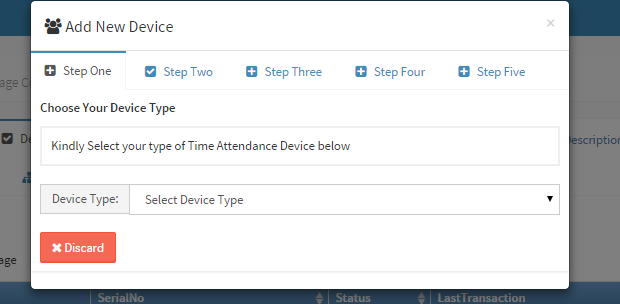
Step One: Select the type of device you wish to add - INO1a - ICLOCK 700 - ICLOCK 880 - S900 - IFACE 402 - Mobile Click Step two tab to proceed |
|
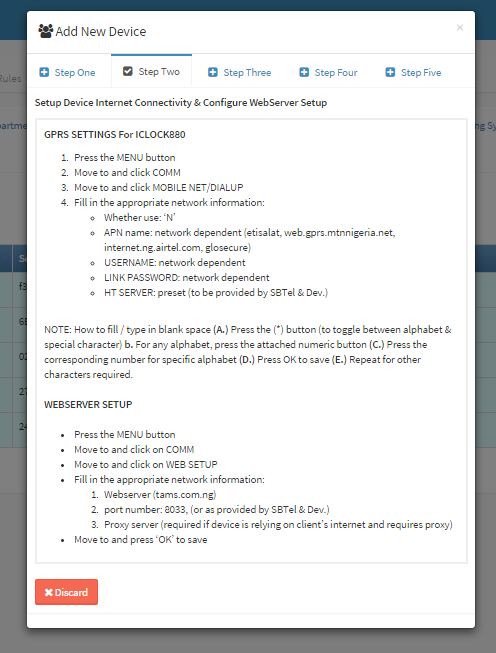
Step Two: Depending on the type of device you selected in the previous step, a configuration not s displayed here putting you through on to connect the device. Click Step three tab to proceed |
|
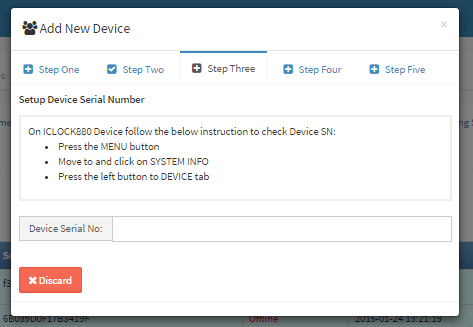
Step Three: Supply the device serial number Follow the onscreen procedure(which may vary with device selected in step one) to get the device serial number. Click Step four tab to proceed |
|
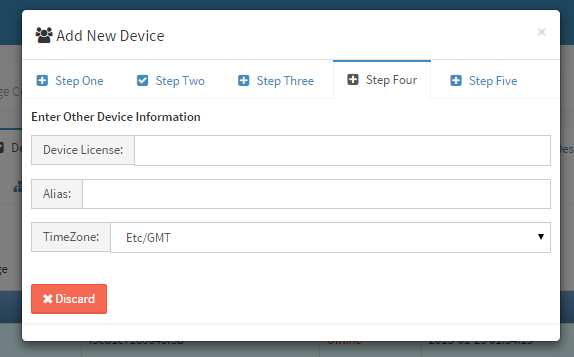
Step Four: Supply the following fields Device license: The is a licence that has been bundled with you package from SBTel and Device. Alias: Give it your preferred name to identify your device TimeZone: A correct timezone for your geographical region. for Nigeria choose Etc/GMT +1. Click Step Five tab to proceed. |
|
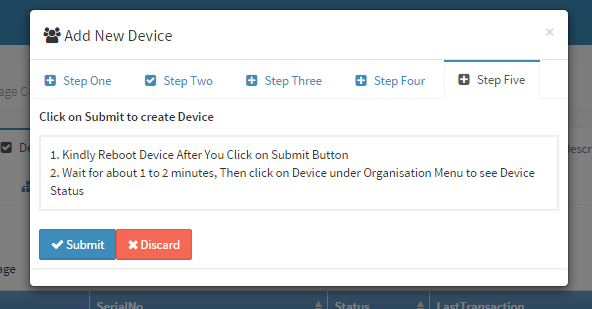
Step Five: Click on Submit to create Device 1. Kindly Reboot Device After You Click on Submit Button 2. Wait for about 1 to 2 minutes, Then click on Device under Organisation Menu to see Device Status |