Events
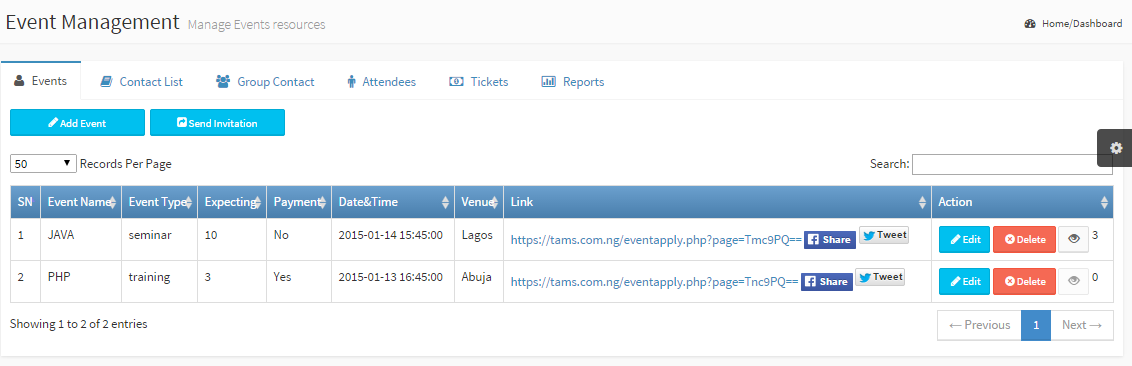
With the Events sub-module, create, view, update events and even send invitations and share them on social platforms Event Name: A name for the event Event Type: Category of event Expecting: Max number of attendees that can register Payment: A paid or free event Date&Time: Event date and time Venue: Venue for the event Link: Auto generated link for attendees to register from A facebook share button to share event link with friends on facebook platform A tweet icon to tweet the event link on your twitter handle Action: Edit, delete event and view registered attendees |
|
|
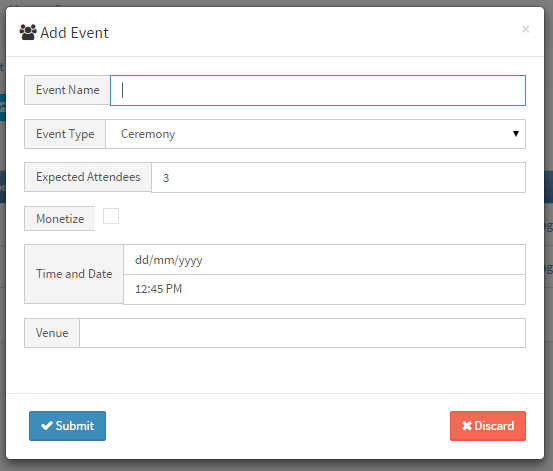
Add Event Fill the following fields to complete the form Event Name: Give the event a name Event Type: Select a category for event Expected Attendees: Limit number of registration Monetize: Check to make a paid event Date and Time: Choose date and time Venue: Where is the event holding? Click Submit button to complete the process |
|
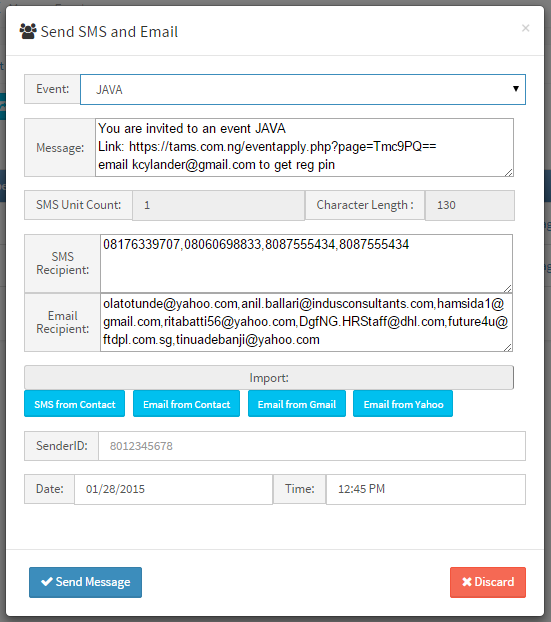
Send Invitation This form can send both sms and email. Event: Select an Event Message: Message is auto generated when an event is selected, you can use the default or modify it. SMS Unit Count: Number of SMS unit to be charged per sms recipient SMS from Contact: Import SMS from contact, both Contact List and Group Contact Email from Contact: Import email from contact, both Contact List and Group Contact Contact from Gmail: scroll down Sender Id: The name that appears on the message as the sender(TAMS is the default) Date and Time: Choose date and time to send invitation (only applicable to SMS) Click Submit button to complete the process |
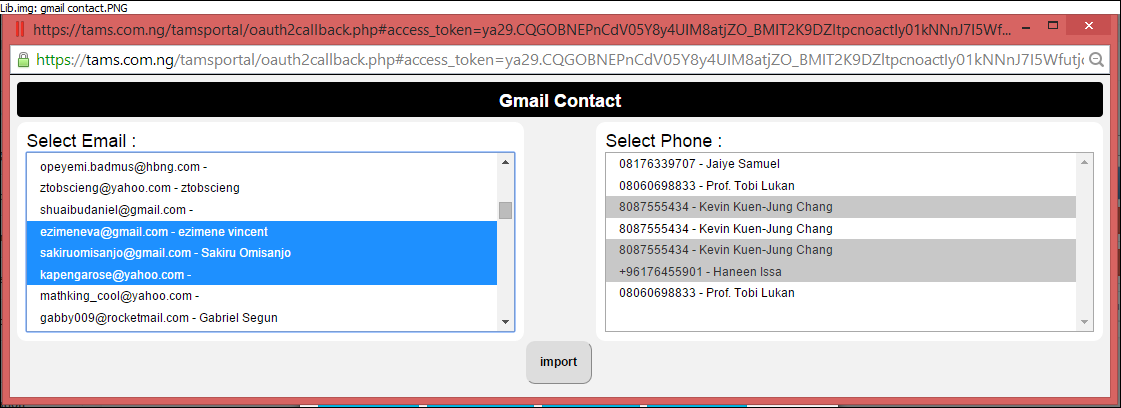
Contact from Gmail
|
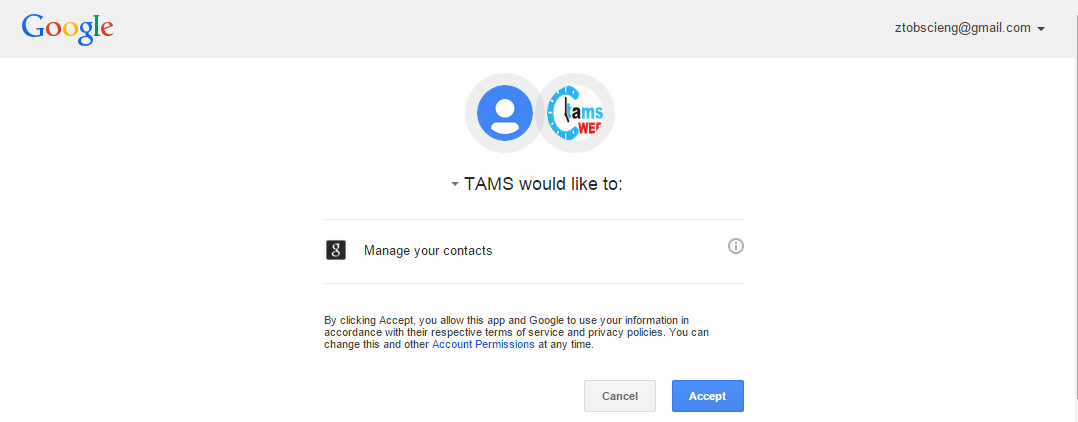
A popup window shows redirecting you to your google authorization page Click Accept button to proceed |
You will be redirected to your google a account authorization page Click Accept button to proceed. |
|||
|