


My Bulk Numbers
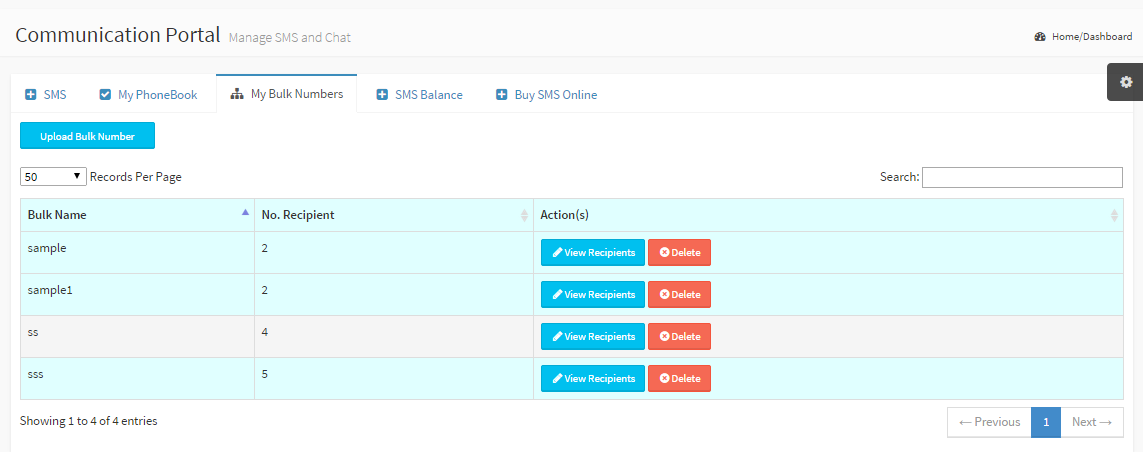
You have your contacts in a csv or excel file, upload them with the My Bulk Numbers sub-module Bulk Name: A name for the bulk contact No. Recipients: Number of phone contacts in the bulk Action: View or Delete your bulk |
|
|
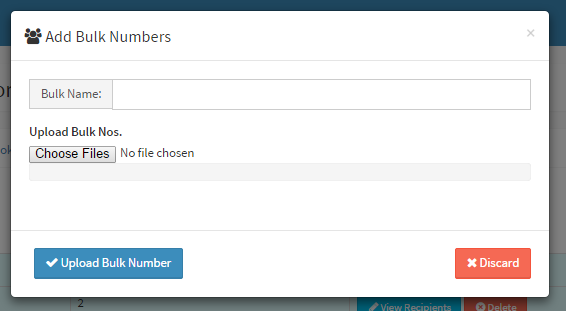
Upload Bulk Numbers/ Add bulk Numbers Fill the following fields to complete the form Bulk Name: Give a bulk name Choose Files: Select the csv or excel or txt file from your local directory.
Click Upload Bulk number button to complete the process |
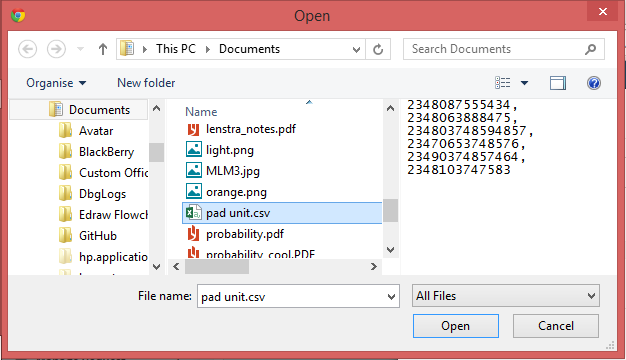
Format for bulk file:
- Phone numbers only
- .txt or .csv or .xlsx file extensions/type
- comma separated phone numbers
- country code appended to each number (e.g 2348023456789)