APPROVAL LEVEL
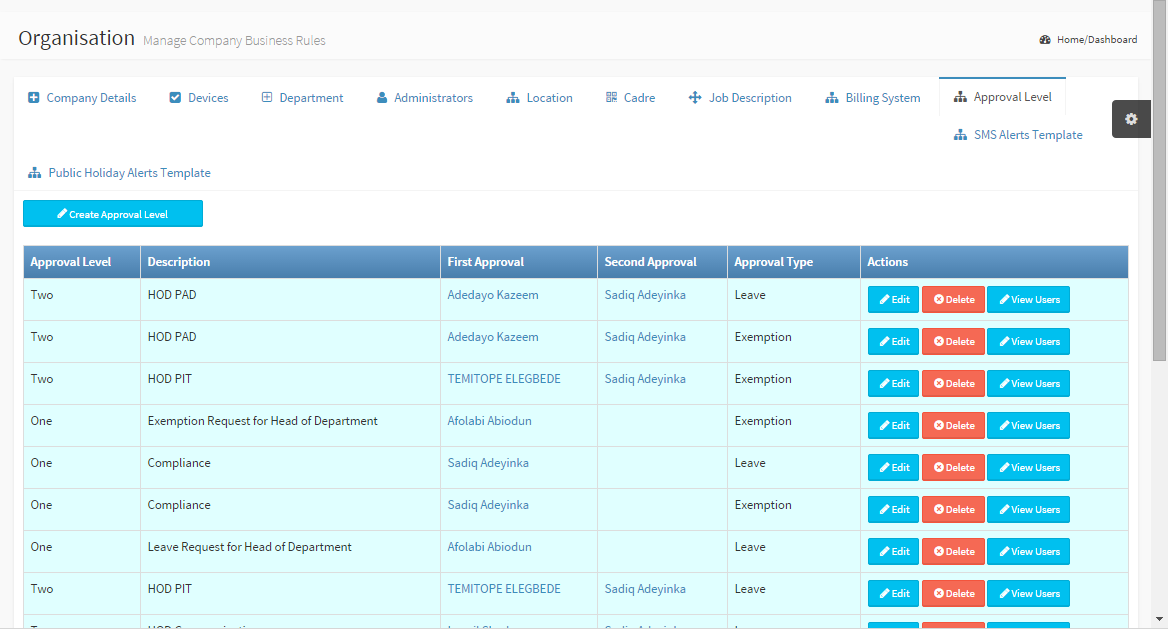
Create approvals for Exemptions, Leave, Loan Request, Salary processing from the Approval Level Tab. Employees requesting for any of these(exemptions, leaves) would fill the request form and on completion, a notification (if turned on) is sent to the first and second approval. Approval Level: Number of people to approve Description: A short description for the Approval First Approval and Second Approval: The first and Second individuals to approve the request respectively. Approval Type: Be it Exemption, loan, Leave or salary Action: Update or Delete approval and view employees under this approval. |
|
|
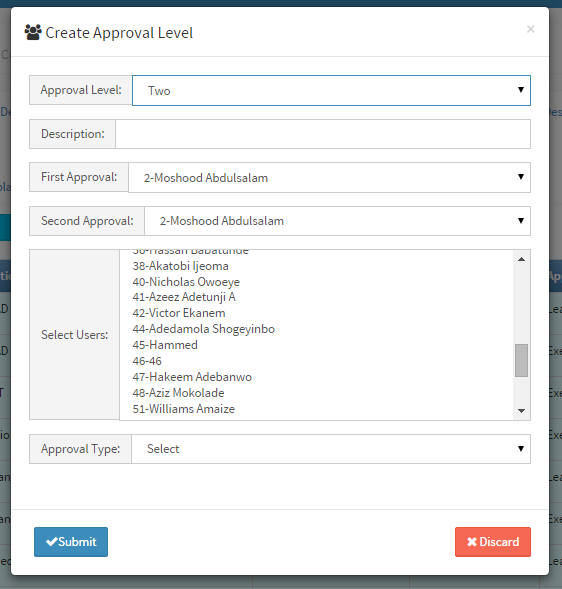
Create Approval Level Populate the following fields to complete the form Approval Level: One or Two Description: Give the approval a short description First Approval: First personnel to approve Second Approval: Second personnel to approve Select Users: Multi-selection of all employees for this approval level. Approval Type: Select either Loan, Exemption, ... Click Submit button to complete the process |